Six chapters for one smarter wardrobe.
From photo intake to your daily outfit choice. Everything you need to choose, combine and wear more deliberately.
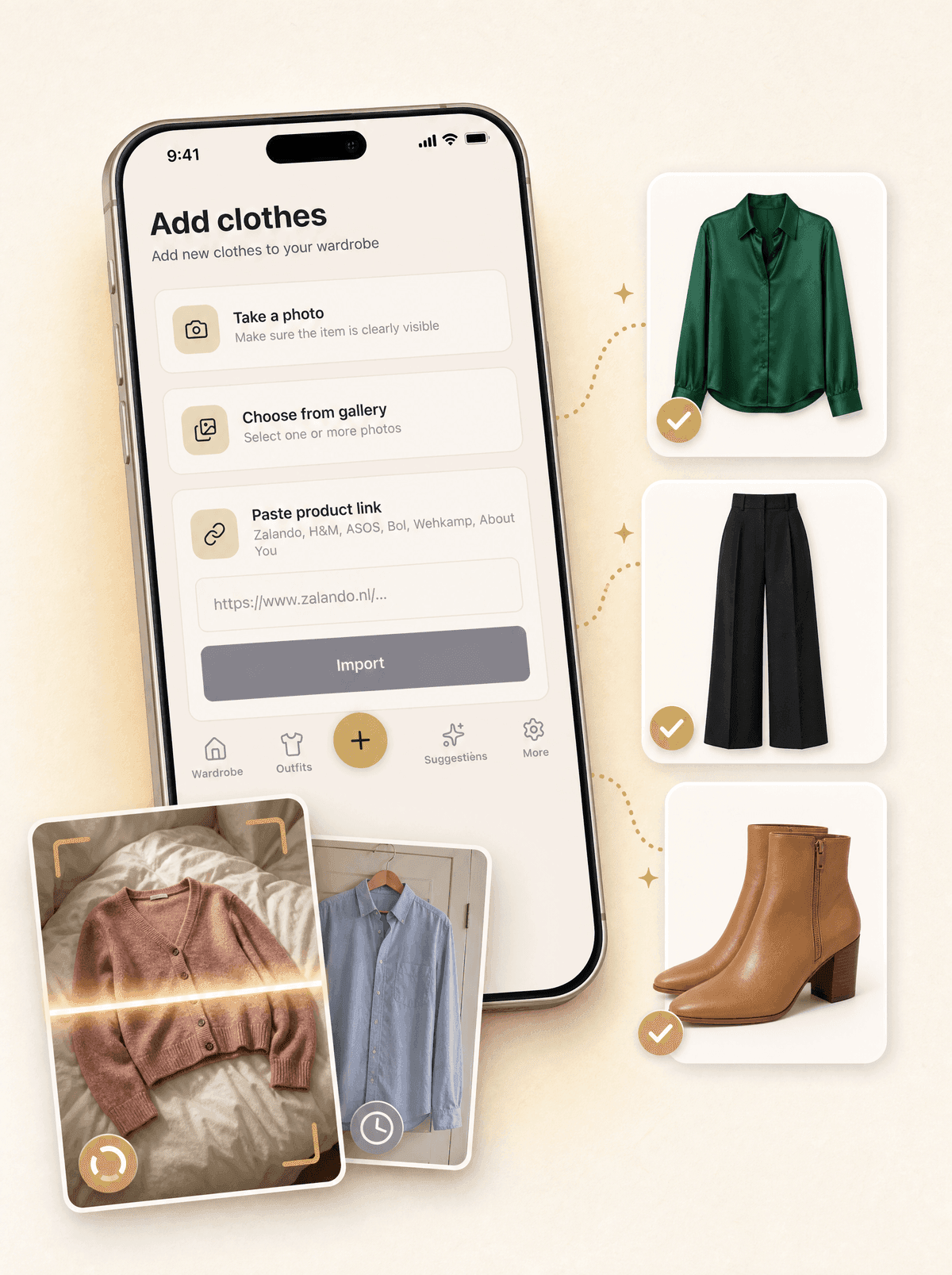
Add clothing without forms.
Take a photo or pick one from your library. Looqa recognises category, colour, pattern, season and style, and the material when it is visible. Paste a product link and it also fills in the name, brand and price; the photo is your own. No forms, no dropdowns.
- Photo upload with automatic background removal
- Name, brand and price from a product link, with your own photo
- Several photos at once, one item per photo
- Extra photos per item on looqa.ai
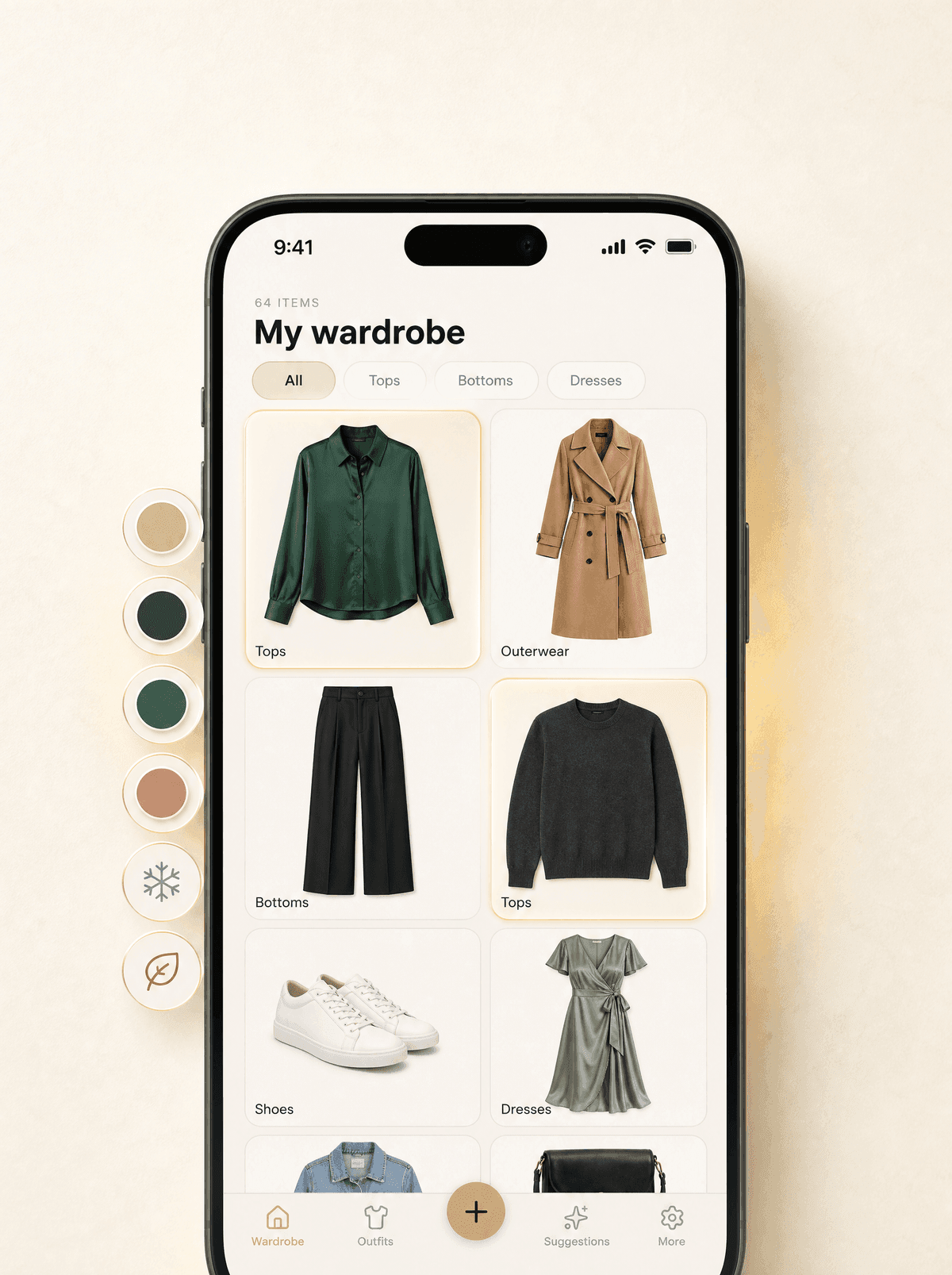
Find everything, forget nothing.
Browse your wardrobe by category in the app. On looqa.ai you can also search by name, brand or colour and filter on season, style, material and more.
- Browse by category in the app
- Search and filters on looqa.ai
- Grid, list and closet view on looqa.ai
- Archive for seasonal items on looqa.ai
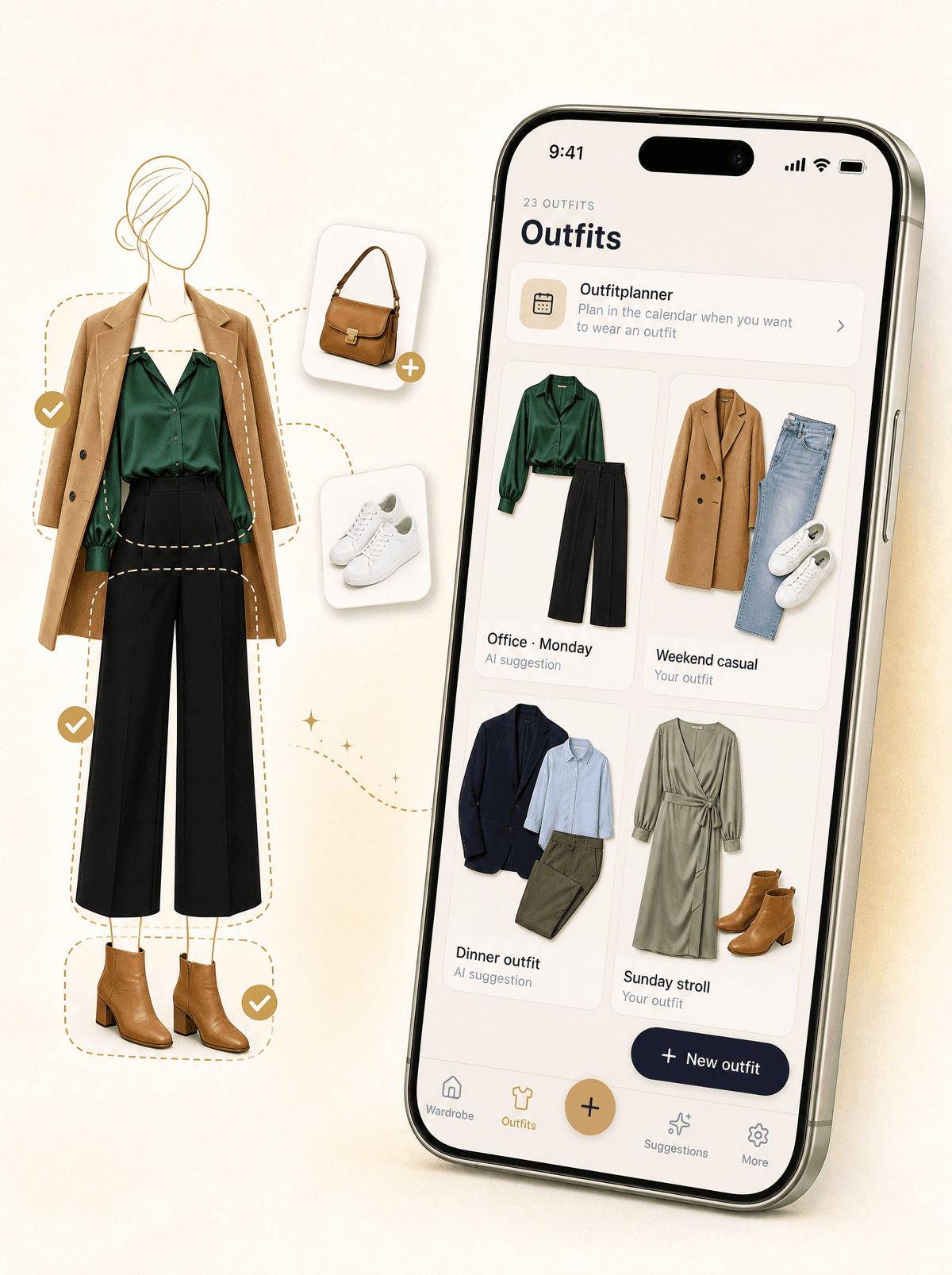
Compose outfits from your own wardrobe.
Combine pieces from your own wardrobe into an outfit and save it with a name and tags. On looqa.ai you drag items onto a silhouette and Looqa checks that each piece fits its zone.
- Combine items into one outfit
- Drag onto a silhouette on looqa.ai
- Tag outfits by occasion
- Plan outfits for a day in the planner
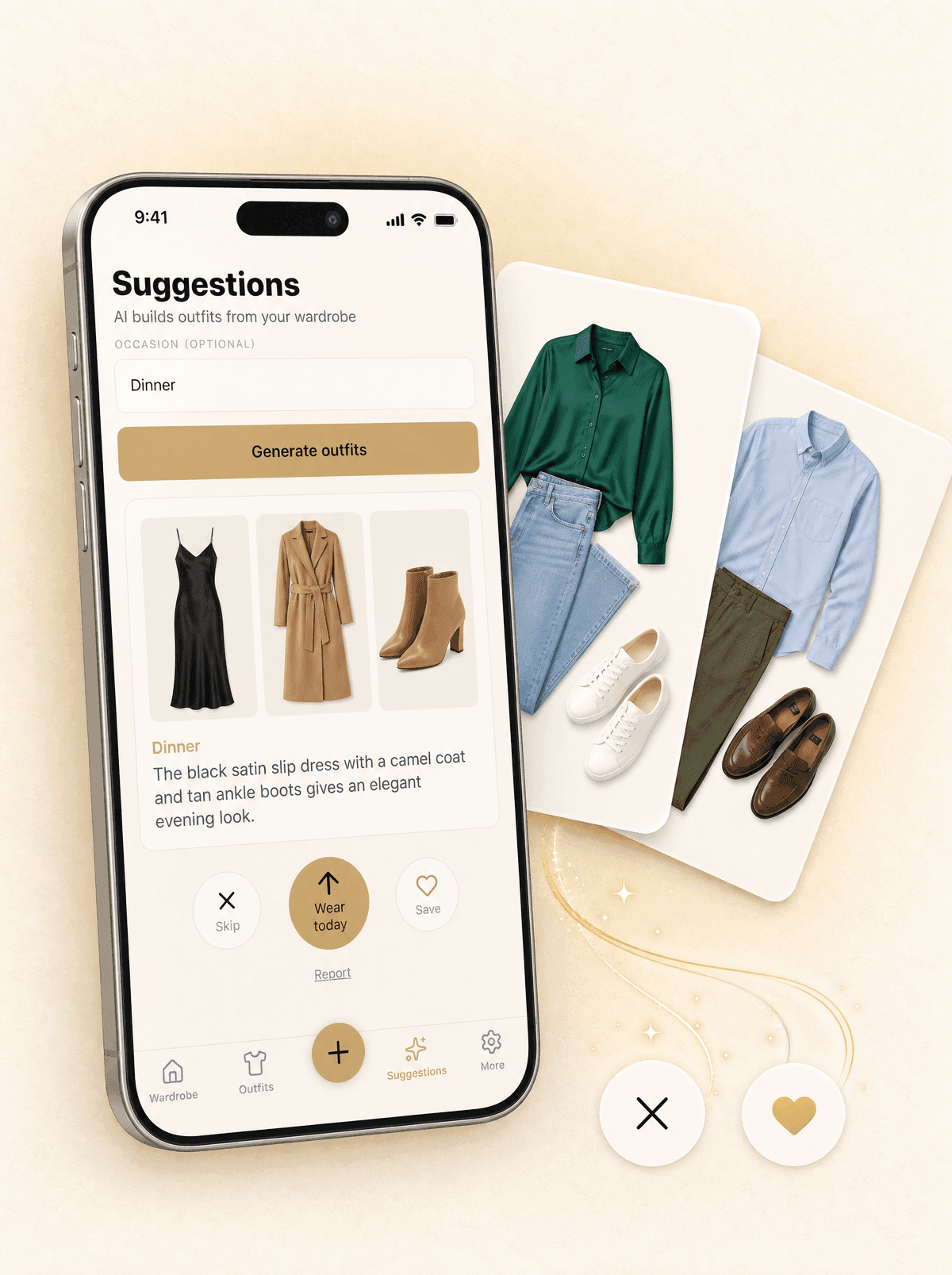
Ask, and get new outfits.
Tell Looqa the occasion and get outfits from your own wardrobe. Skip what doesn't fit, save what works or wear it today.
- Tuned to the occasion and your style
- Skip, save or wear today with one tap
- Only items you actually own
- Direct wear-log integration
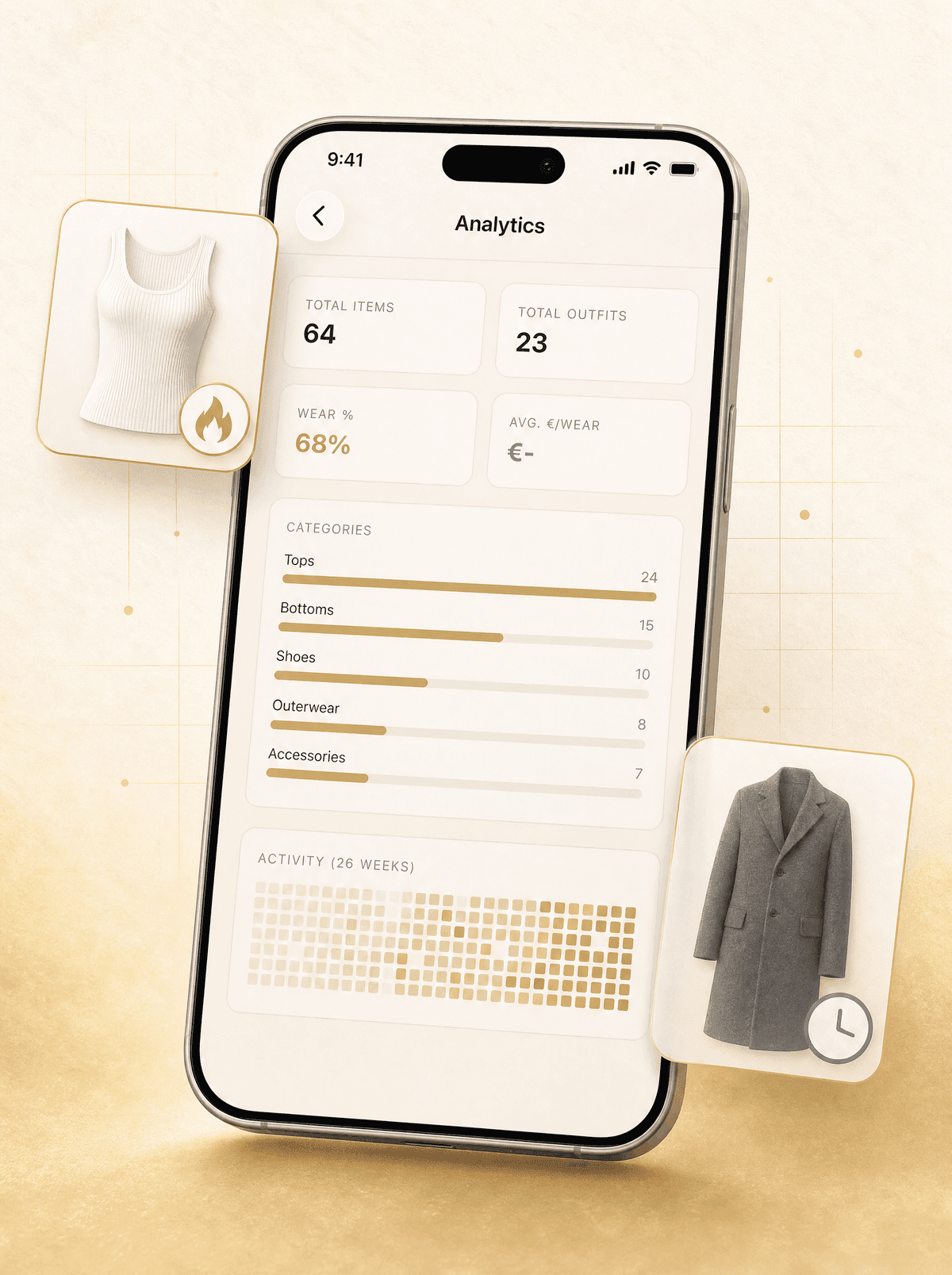
See what you actually wear.
How often you wear what, which share of your wardrobe you actually wear, and cost per wear for items with a known price. See how much of your wardrobe hangs unworn.
- Cost per wear, for items with a price
- 26-week wear heatmap
- Category distribution
- Share of your wardrobe you wear
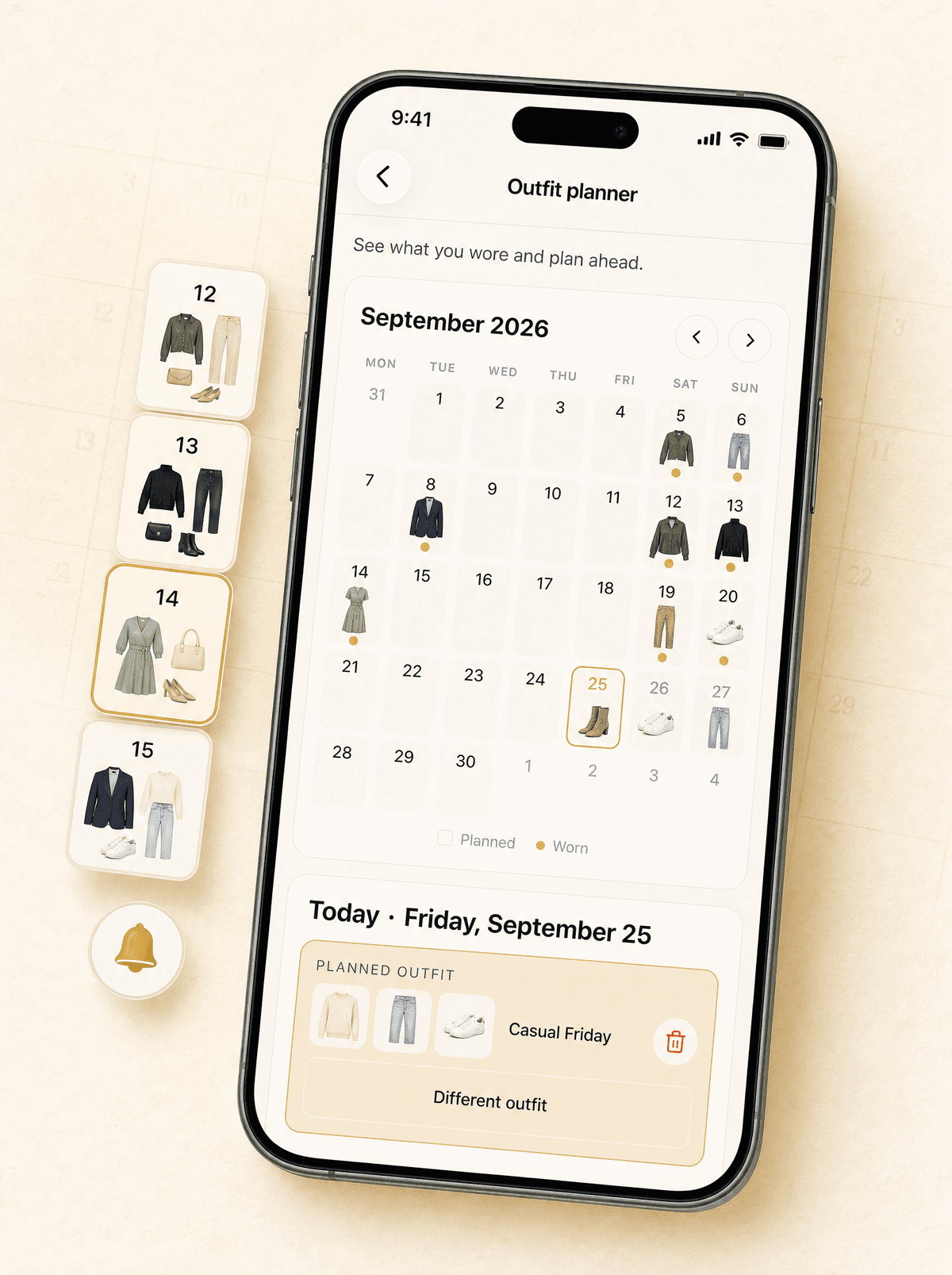
Plan outfits ahead.
Plan an outfit per day on a month calendar. Look back at what you wore, look ahead at what fits.
- Month view with every day at a glance
- A reminder on the morning of a planned outfit (iPhone app)
- Reschedule and swap quickly
- Review wear history
Your wardrobe
at its best.
Start with the clothes you already own.
Already have an account? Sign in