Closet organizer
Closet organizer app: your whole wardrobe in one place
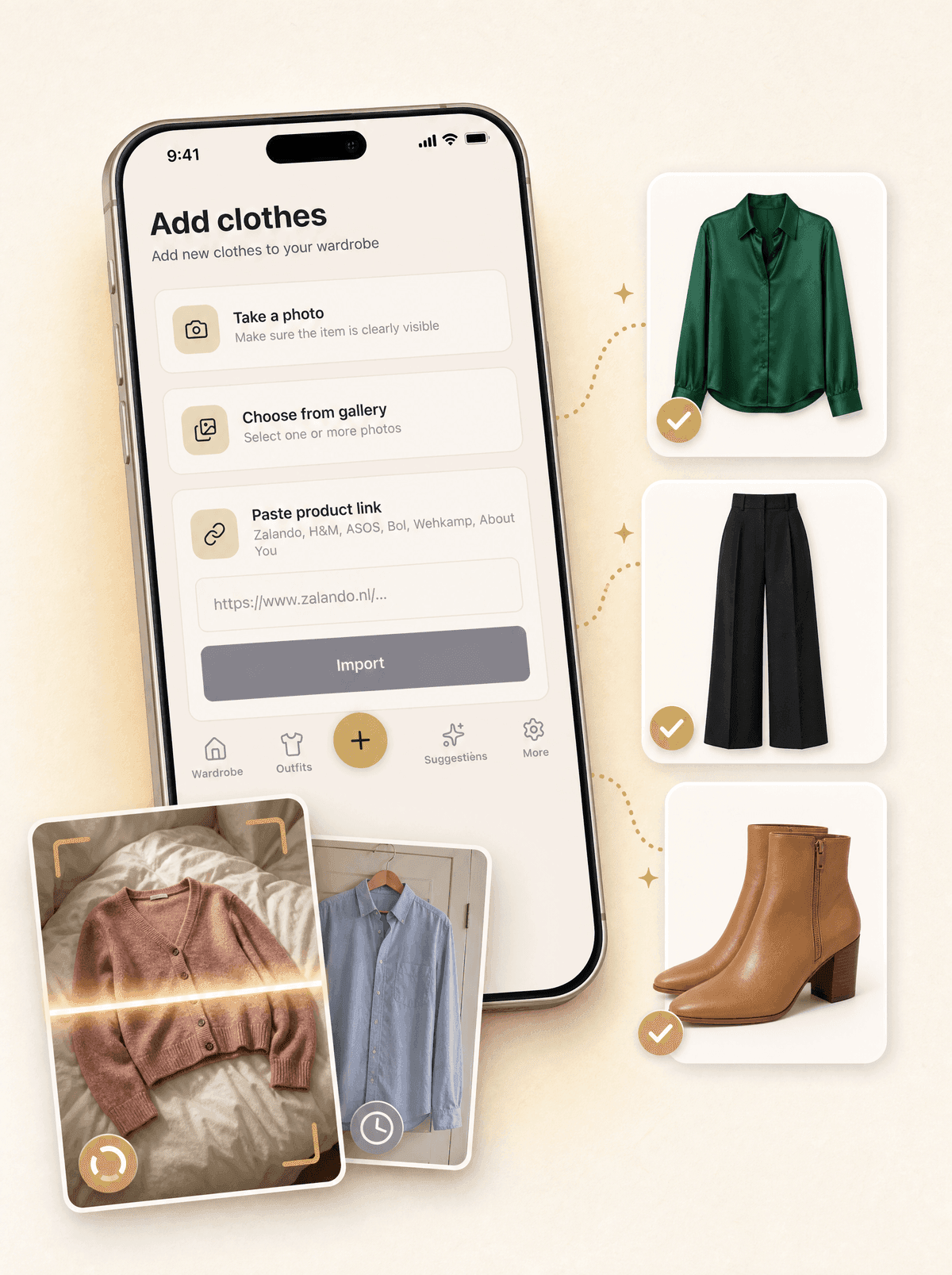
Looqa.ai turns your closet into a digital wardrobe. Take a photo or paste a product link, and the AI removes the background and sorts each item by category, colour, pattern, season and style. You see everything you own in one place, on your phone and on looqa.ai.
Looqa.ai works in your browser and is invite-only for now. The iPhone app is coming to the App Store; Android follows later.
How it works
01
Photograph or paste a link
Take photos, pick several from your library at once, or paste a product link: Looqa fills in the name, brand and price, and the photo is your own.
02
Let the AI sort it
In about half a minute each item gets a clean photo without background and its category, colour, pattern, season and style.
03
Find anything
Browse by category in the app. On looqa.ai you also search by name, brand or colour and filter on season, style and material.
Why digitize your closet?
A closet only shows what hangs in front. A digital wardrobe shows everything, including what is folded away, in another room or out of season. That is the first step to wearing more of what you own and buying less by accident.
How long does it take?
Most people start with what they wear now and add the rest over a few sessions. Several photos at once, one item per photo, keeps it quick. Our guide shows how to sort and digitize a closet in one afternoon.
What you can do once it is in
Build outfits from your own items, ask the AI stylist for outfits for an occasion, plan outfits on a calendar, and see which share of your wardrobe you actually wear.
Frequently asked questions
Is there a free closet organizer app?
Yes. The Free plan of Looqa.ai holds 25 items with full AI sorting and needs no credit card. Pro has unlimited items.
Do I have to type in every item?
No. A photo is enough: the AI fills in category, colour, pattern, season and style. A product link also fills in the name, brand and price.
Can I add clothes I bought online?
Yes. Paste the product link and Looqa fills in the name, brand and price. You add your own photo of the item.
What about clothes that are out of season?
They stay in your wardrobe. On looqa.ai you can move seasonal items to an archive, so the current season stays easy to browse.
Can I get my data out again?
Yes. You can export your data from your settings, and delete your account and data whenever you want.
Guides on this topic
- How to organize your wardrobe in one afternoon: a step-by-step method
Organize your wardrobe in about four hours: empty everything, sort into four piles, decide with clear criteria, then put back only what earns its place.
- What is a digital wardrobe app and how does it work?
A digital wardrobe app turns your closet into a searchable photo catalog: snap each garment once, then browse, plan outfits and track what you wear.